
3CX HubSpot integration: bridge 3CX into HubSpot with Connect Zero
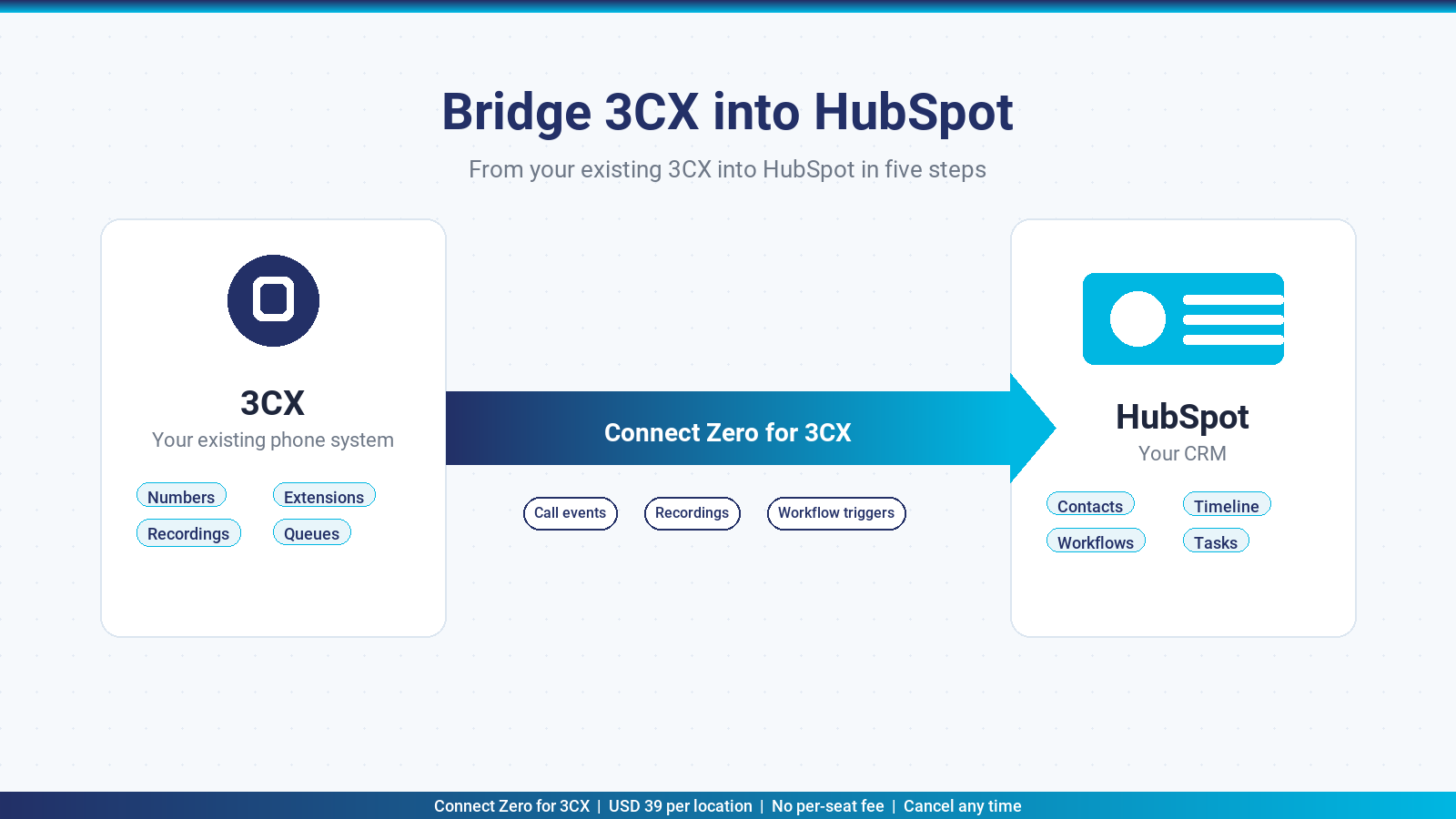
If your team runs 3CX as the phone system and HubSpot as the CRM, the question is how to log calls reliably against contacts, attach recordings to the timeline, and run workflow automation on call events. Connect Zero for 3CX is the bridge that does this without replacing your PBX or rolling out a per-seat softphone. This page covers what the integration delivers, how it compares to the 3CX HubSpot Chrome extension, the install path, and the pricing.
TL;DR: Connect Zero for 3CX bridges your existing 3CX system into HubSpot. Inbound and outbound 3CX calls log against the matching HubSpot contact, recordings attach to the timeline as playable links, and HubSpot workflows fire on call events. USD 39 per location per month flat, no per-seat fee, cancel any time.
What the 3CX HubSpot integration does
Connect Zero for 3CX is a bridge between your 3CX system and your HubSpot portal. The bridge listens to call events from 3CX over the 3CX Call Control API, matches each call against HubSpot contacts on the phone number, and writes the call into HubSpot as a Call activity on the contact record. The Call activity carries the direction, duration, outcome and a playable link to the 3CX recording.
The same bridge fires HubSpot workflows on call events. Connect Zero for 3CX writes the Call activity with structured fields that HubSpot workflows can branch on: missed call from a known contact, first call from a new number, call from a contact in a specific list, call outcome from a custom property. The common automations are missed-call follow-up sequences, lead-status updates on first call, and deal-stage progression on call disposition.
The bridge is one-way for call data. Your 3CX configuration stays untouched. Your HubSpot schema stays untouched aside from the Call activities the bridge writes. The recording itself stays in 3CX storage, with HubSpot holding the link.
If your team has multiple HubSpot portals or multi-location 3CX setups, the bridge installs per portal. Each portal is one “location” in the Connect Zero pricing model. The 3CX side can be a single system with per-extension mapping, or one 3CX system per portal.
Who this integration suits
Connect Zero for 3CX fits HubSpot teams that already run 3CX and want every call captured in the CRM. It is the right answer if your priority is logging calls reliably and running HubSpot workflows on call outcomes. It is the wrong answer if your priority is purely click-to-dial from HubSpot record pages with a screen-pop on inbound (that is what the Chrome-extension category delivers).
In practice, four team profiles get the cleanest fit:
- Sales teams that work HubSpot deal pipelines and want every call captured against the contact, company and deal
- Customer-success teams that use HubSpot tickets and want call activity on the company timeline
- Multi-portal operators with a single 3CX system shared across portals
- Australian HubSpot users that want an Australian-built bridge and Australian-hours support
Install in five steps
The install path takes about two minutes once your HubSpot admin is logged in.
- Open the HubSpot App Marketplace, search “Connect Zero for 3CX” and click Install app. Choose the HubSpot portal you want the bridge to write into.
- Paste your 3CX address and 3CX API user credentials in the Connect Zero setup wizard. The wizard checks the connection and lists your extensions.
- Map your 3CX extensions to HubSpot users. The wizard guesses by email match first and lets you adjust before saving.
- Confirm the pricing acceptance. The bridge starts on the USD 39 standard plan with the two meters listed.
- Activate the connector. Call events start flowing into HubSpot within seconds of the next 3CX call.
The bridge connects to HubSpot via the HubSpot OAuth flow, so your admin grants the connector the scopes it needs and revokes them by uninstalling the app from the marketplace. No on-premises components, no managed packages.
Connect Zero for 3CX vs the 3CX HubSpot Chrome extension
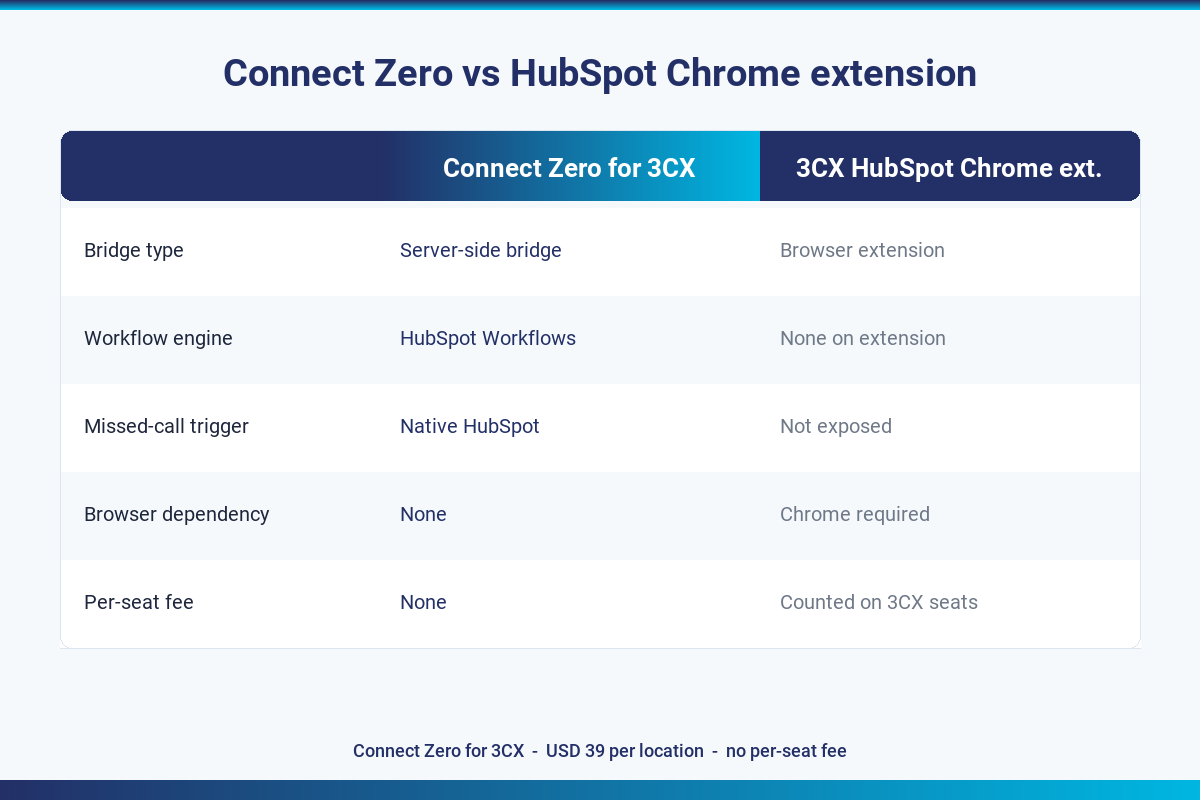
3CX publishes a HubSpot integration as a Chrome browser extension that sits on top of the HubSpot interface. The two products solve overlapping problems with different shapes. The table below sets them side by side.
| Connect Zero for 3CX | 3CX HubSpot Chrome extension | |
|---|---|---|
| Bridge type | Server-side bridge with workflow hooks | Browser extension with screen-pop and click-to-dial |
| Pricing model | Flat USD 39 per location, per month | Free, bundled with the 3CX licence |
| Workflow engine | HubSpot Workflows on call activity | None on the extension itself |
| Recording attachment | Yes, as a link on the Call activity | Manual save to contact via extension UI |
| Missed-call workflow trigger | Yes, native HubSpot trigger | Not available without extra scripting |
| Browser dependency | None, server-side | Requires Chrome with the extension installed |
| Per-seat fee | None | None on the extension; counted against 3CX seats |
Who Connect Zero for 3CX suits
Teams that already build automation inside HubSpot with Workflows and want call events on the same canvas. Multi-portal HubSpot customers that want a server-side bridge that does not depend on every user installing a browser extension. Operators that prefer guaranteed call logging on every call (no missed entries from users who forget to log).
Who the 3CX HubSpot Chrome extension suits
Teams that primarily want click-to-dial from HubSpot record pages with a screen-pop on inbound. Smaller teams that do not need workflow automation on call events. Operators happy to manage browser-extension rollout across the team.
Pricing
Connect Zero for 3CX uses a flat-rate plus metered pricing model. The base is USD 39 per HubSpot portal per month. Inbound call sync is metered at USD 0.02 per call event written into HubSpot. Workflow triggers are metered at USD 0.01 per trigger fired.
For a typical HubSpot portal doing 3,300 inbound calls per month and 200 workflow triggers, the monthly cost lands at around USD 107. There is no per-seat fee, so adding or removing 3CX extensions or HubSpot users does not change the bill. No setup fee, no minimum term.
The full pricing context with the worked example lives on Connect Zero pricing.
Trust signals
- USD 39 per location per month, no per-seat fee
- Cancel any time by uninstalling from the HubSpot App Marketplace
- Australian-built, Australian-hours support from Adelaide
- Free trial on your existing 3CX setup, no credit card required to start
- Works with any 3CX hosting (self-hosted, 3CX cloud, partner-hosted)
Frequently asked questions
Which HubSpot pricing tier do I need to use this integration?
Any HubSpot tier with API access works. Starter, Professional and Enterprise on the Sales Hub or Service Hub all support the integration. The Workflow trigger requires Professional or Enterprise on either hub because that is where HubSpot Workflows live.
Is there a free trial?
Yes. The trial runs on your existing 3CX setup with no credit card required to start. You get enough time to see real call events flowing into HubSpot before any meter charge runs.
Does Connect Zero for 3CX support multiple HubSpot portals?
Yes. Each portal installs the app separately and is billed as one location. The 3CX side can be a single shared system with per-extension mapping, or a separate 3CX system per portal.
Will my call recordings show up in HubSpot?
Yes. 3CX recordings are attached to the Call activity on the contact record as a playable link. The recording stays in 3CX storage and HubSpot holds the link.
Does the missed-call workflow trigger fire reliably?
Yes. The trigger fires the moment 3CX reports the call as ended with no answer. From there your HubSpot Workflow takes over with whatever sequence you have configured against the missed-call activity property.
What happens if I am switching from a per-seat CTI tool?
You install Connect Zero for 3CX on top of your existing 3CX system, run both in parallel for a week, then turn off the per-seat tool once you are comfortable with the flow. There is no PBX cutover involved.
Does this work with HubSpot sandboxes?
Yes. You can install the app in a HubSpot test portal first, verify the call flow, then install in production. Each sandbox counts as a separate location for pricing.
Ready to bridge 3CX into HubSpot?
Three ways to start.
- Start a free trial of Connect Zero for 3CX from the HubSpot App Marketplace. No credit card required to install.
- Book a demo to see calls flowing into a sample HubSpot portal from a sample 3CX dataset.
- Talk to sales if you have multiple HubSpot portals or a complex 3CX setup and want help mapping it out.
For the broader product picture, the 3CX hub lays out the feature set, and how the bridge works walks through the integration architecture.
Last updated 2026-05-24 by the Connect Zero team. Adelaide, South Australia. Questions about your specific 3CX setup? Use the contact page or email hello@connectzero.com.au.
