3CX call sync for your CRM: multi-location agencies
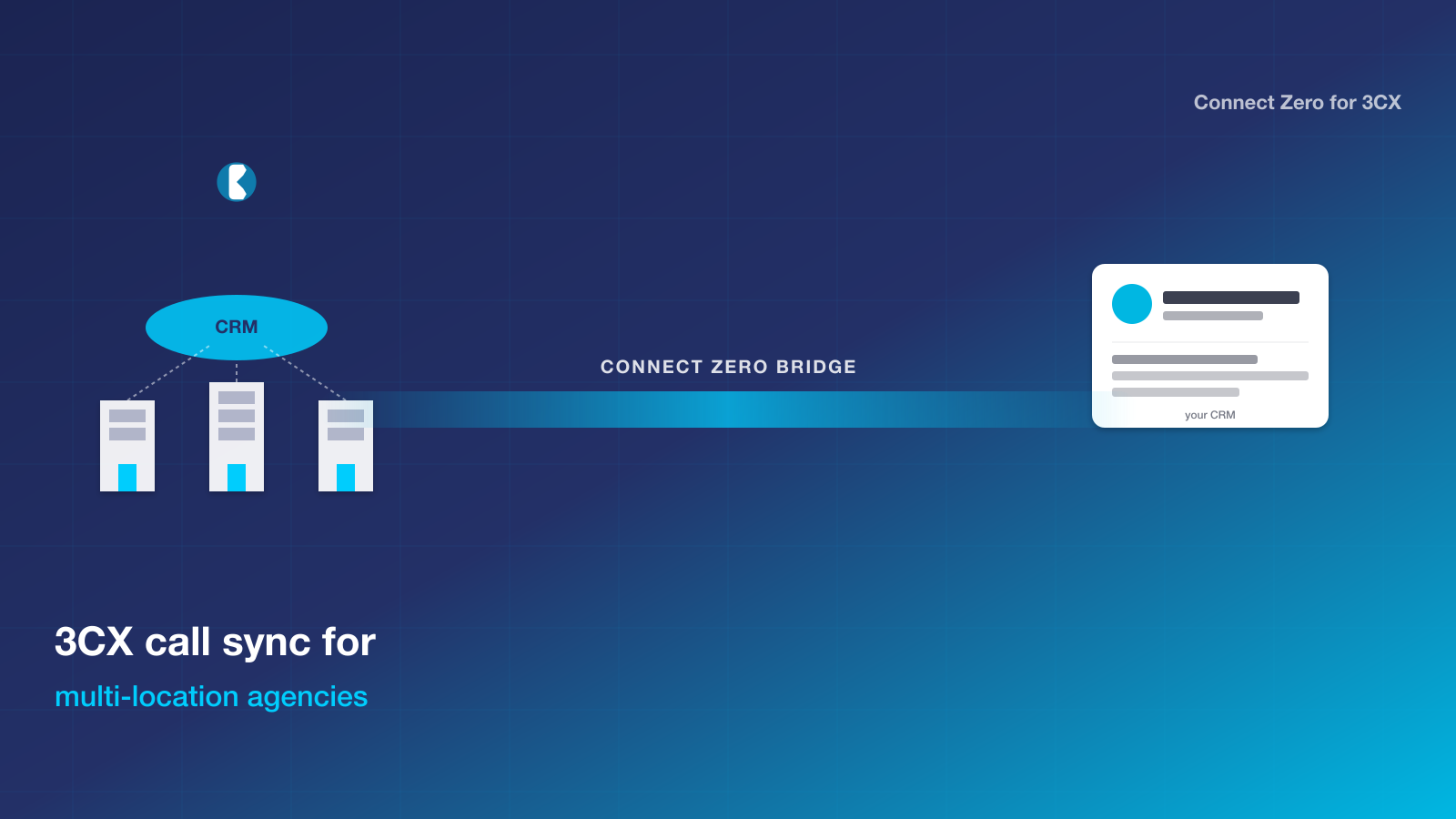
If you run a multi-location agency on 3CX and your CRM is the one your team logs into every day, you have a clear path to tie phone calls into customer records without changing your phone system. Connect Zero for 3CX is the bridge that sits between the two, streaming live call events into your CRM, attaching recordings to the matching contact, and firing workflow triggers on missed calls.
TL;DR: Multi-location agencies on 3CX get a flat-per-location CRM bridge that maps cleanly to the sub-account-per-location pattern. USD 39 per location per month. Each location installs the bridge independently or shares one 3CX system with extension mapping. Two-minute install per location.
Why multi-location agencies pick Connect Zero for 3CX
Multi-location agencies face a structural mismatch between the phone system and the CRM. The CRM uses a sub-account-per-location pattern. The phone system is often a single 3CX install shared across locations. Without a bridge, the multi-location agency has to choose between losing call data per location or running multiple 3CX systems. Most agencies pick the first option and live with the per-location call data being incomplete.
What pulls multi-location agencies toward Connect Zero for 3CX is the flat-per-location pricing combined with the extension-mapping model. Each location is one Connect Zero install and one CRM sub-account. A single 3CX system can serve many locations because extensions map per location. Pricing is per location, not per agency, so a ten-location agency pays USD 390 base plus usage. Adding a new location is one install.
The habit that traps multi-location agencies is the central-call-log pattern. The phone system holds all calls in one log and the agency reconciles them to locations manually. The bridge replaces that habit by mapping calls to locations at the moment they happen via extension mapping. Reconciliation becomes automatic.
The anxiety with any new tool for a multi-location operator is rollout consistency. Connect Zero for 3CX installs from the CRM marketplace per location. Each location’s install is two minutes. There is no central rollout project because each location is independent. Agencies can roll out location by location at their own pace.
The multi-location agency reality
Multi-location agencies sit between the typical small-business pattern and the enterprise pattern. The CRM organises by sub-account-per-location, the phone system organises by extension, and the bridge between them has to map extensions to locations. Without a bridge, the agency runs one of two patterns. Option one runs separate 3CX systems per location, which doubles the PBX cost and forces operations to manage many phone systems. Option two runs a single 3CX system across all locations and accepts that per-location call data lives in spreadsheets reconciled at month-end. Most agencies pick option two, and the per-location reporting suffers as a result. Principals have no live view of which locations are answering calls and which are missing them. Capacity planning, location performance and inter-location workload transfer all run on stale data.
How Connect Zero for 3CX fits
Connect Zero for 3CX uses the flat-per-location pricing model and the extension-mapping pattern to match the multi-location agency reality cleanly. Each location is one CRM sub-account, one Connect Zero install, and a slice of the shared 3CX extension list. The bridge writes calls to the right CRM sub-account based on which extension answered. Principals see per-location call volume in real time from the agency CRM dashboard. Missed-call rates compare across locations. Recordings attach per location. Workload transfer between locations becomes visible. New locations install the bridge in two minutes from the marketplace. The pricing scales linearly with location count rather than seat count.
Install in five steps
Five steps, about two minutes from start to first call event in your CRM.
- Open your CRM marketplace, search Connect Zero for 3CX, and click Install. Pick the sub-account or location you want the bridge to write into.
- Paste your 3CX address (the public HTTPS URL of your 3CX system) and the 3CX API user credentials. The setup wizard checks the connection and lists your extensions.
- Map your 3CX extensions to users in your CRM. The wizard guesses by email match first and lets you adjust before saving.
- Confirm the marketplace pricing acceptance. The bridge starts on the USD 39 standard plan with two usage meters listed.
- Activate the connector. Inbound and outbound calls start flowing into your CRM within seconds of the next 3CX call event.
If your 3CX system is behind a VPN or restricted by IP, you allowlist the Connect Zero outbound IPs (documented in the setup guide) and the bridge connects without further configuration.
Trust signals
- USD 39 per location per month, no per-seat fee
- Cancel any time by uninstalling from your CRM marketplace
- Australian-built, Australian-hours support from Adelaide
- Free trial on your existing 3CX setup, no credit card required to start
- Works with any 3CX hosting (self-hosted, 3CX cloud, partner-hosted)
Frequently asked questions
Can one 3CX system serve many CRM sub-accounts via the bridge?
Yes. The bridge maps 3CX extensions to CRM users in CRM sub-accounts. Each sub-account is one Connect Zero install. The shared 3CX system delivers calls to the relevant extension, the bridge routes the call event to the matching CRM sub-account, and the CRM treats it as a per-location call.
Does each location need its own marketplace install?
Yes. Each location installs the bridge from the CRM marketplace independently. This is what makes per-location billing clean and per-location data clean. Each install takes about two minutes.
Can principals see consolidated reporting across all locations?
Yes. The agency CRM dashboard slices call activity by sub-account (which maps to location). Principals see per-location call volume, missed-call rate, average ring-time, and complaint patterns. Regional managers see the slice for their region.
What is the price for ten locations?
USD 390 per month base (ten locations at USD 39 each) plus usage meters across the locations. Adding an eleventh location adds USD 39 per month base. There is no per-seat fee, so user count within each location does not affect the bill.
Ready to bridge 3CX into your CRM?
Three ways to start, in increasing depth.
- Start a free trial of Connect Zero for 3CX from your CRM marketplace. No credit card required to install.
- Book a demo to see calls flowing into a sample CRM sub-account from a sample 3CX dataset before you commit.
- Talk to sales if you need help sizing the setup for a multi-location agency and want a walkthrough before install.
Two related pages worth a read before you decide: the Aircall-to-CRM bundle comparison covers the cost shape if you are weighing a PBX replacement, and the JustCall-to-CRM bundle comparison does the same for the JustCall path. The Connect Zero pricing page lays out the meters with a worked monthly example, and the setup guide walks through the same five-step install in more detail.
For specific team sizes within each location, see the 1-5 users, 5-25 users, 25-100 users and 100+ users pages.
Last updated 2026-05-24 by the Connect Zero team. Adelaide, South Australia. Questions about your specific 3CX setup? Use the contact page or email hello@connectzero.com.au.